TYPING GUIDE
Typing from a Printed Page: 2 Copy Sheets and Tracking Exercises
Practise typing from paper with two original English copy sheets, sentence checkpoints and exercises to recover your place without repeating lines.
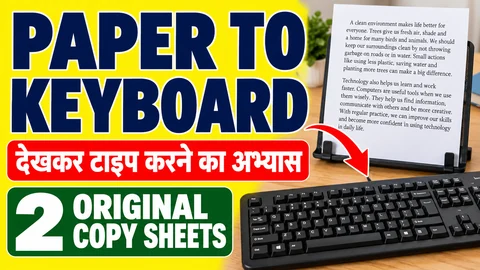
Losing your place on a printed page can turn a simple copying exercise into repeated lines, missing sentences and unnecessary restarts. This worksheet gives you two original English copy sheets and a method for finding your place again. Use it when you want to practise moving between a paper reference and a keyboard, rather than reading the reference only from the same screen as your answer.
The library and community-centre situations below are fictional. The sheets are learning material, not official typing-test papers. You can use an ordinary text document for the whole activity. A printer is optional: a second device can hold the reference, although that is a different setup from copying paper.
Prepare the reference before starting
Copy only one passage into a document and print it in a clear, comfortable size. Keep the sheet beside your display where you can read it without holding it in your hand. Choose a stable position for it before you begin. Do not cover the keyboard or place the page where it repeatedly slides out of view.
If you are using a second device, turn off notifications for the session and keep its display steady. Record whether the source was paper or another screen. Switching between those setups can change the task, so do not compare their typing speeds as if every condition were identical.
The original passages are printed below as continuous paragraphs. You may let your document wrap the lines naturally. A line break caused by the width of a page is not automatically a new paragraph. In a plain copying document, continue with the next word unless your exercise specifically requires reproducing the page layout.
Copy sheet 1: Preparing a library display
The library team prepared a display of books chosen by local readers. Near the entrance, a volunteer placed a small notice explaining how visitors could suggest another title. Inside the reading room, the assistant arranged the books on a wide table and checked that each label matched the correct cover. A second volunteer recorded the suggestions in a notebook. Before the afternoon session, the team moved the notebook to the information desk so that it would not be hidden behind the display. Readers were asked to write one clear reason for their choice. Some mentioned an interesting character, while others described a useful explanation or a memorable journey. At the end of the day, the assistant compared the notebook with the labels on the table. The final list would help the next group prepare a fresh display without repeating every selection.
Copy sheet 2: Setting up a shared classroom
The community centre opened a shared classroom for evening learners. Before the first group arrived, the coordinator checked the chairs, cleared the front table and placed a folder near the door. The folder contained the room instructions and a blank sheet for reporting missing materials. During the first session, learners used the front table for a short reading activity. During the second session, the same table held the printed worksheets for a copying exercise. After each session, a volunteer returned the unused sheets to the folder and checked the chairs again. The coordinator asked the team to leave a short handover note instead of relying on a spoken message. A clear note would help the next volunteer understand which materials were ready and which still needed attention. By closing time, the room was ready for another group to use the following evening.
Exercise A: Find a sentence by its ending
Use Copy sheet 1 for an untimed first attempt. At the end of each sentence, briefly check its last few words against the paper before moving to the next sentence. These are your checkpoints: local readers; another title; the correct cover; a notebook; behind the display; for their choice; a memorable journey; on the table; every selection.
Keep the checkpoint list outside your typed copy. It is a review aid, not extra text to type. If you finish a sentence with a different ending, look back at that sentence on the paper. You may have left out a phrase, moved to a later line or supplied a reasonable ending from memory. Resolve the location before continuing.
Once the first copy is complete, compare it sentence by sentence. This exercise is about keeping your position, so take the time you need. A clean, checked copy gives you a useful reference for a later attempt without pretending that the first attempt was a speed test.
Exercise B: Distinguish repeated beginnings
Copy sheet 2 deliberately uses similar openings: During the first session and During the second session. When you return your eyes to the paper, read beyond During the before you decide which sentence comes next. Check whether the sentence describes a reading activity or printed worksheets.
The front table also appears in several places. A matching phrase alone does not prove that you have found your current location. Use the surrounding words to identify it. This is particularly useful when a page has several visually similar lines, but it does not require memorising the entire passage.
After the copy, check that both session sentences appear once and in the correct order. Then check the final sentence separately. Reaching a familiar phrase near the bottom of the page can make you think you are finished before you have copied the complete ending.
Recover your place without restarting everything
If you lose your place, stop typing for a moment. Read the last complete sentence in your answer and locate the same sentence in the reference. Then read the next few words on the paper before resuming. Avoid guessing your location from a single common word such as the or table.
For example, if your answer ends with a short reading activity, the next sentence begins During the second session. Starting again at During the first session would duplicate material. This example has a visible answer in Copy sheet 2; it is not an assumed rule about how every typing test handles a repeated sentence.
If you are practising in a normal document, you can mark a small dot beside the sentence you have completed on your own paper copy. Keep the mark outside the printed words. Whether you may mark a source sheet in an actual examination depends on that examination's instructions, so do not treat this learning aid as an exam permission.
Use the online tool when you want a scored copy
The English practice tool also accepts your own paragraph. Put one passage into the setup box, apply it and type in the separate answer area. The source remains available on screen; this is not a special paper-only test mode. You can choose to read your printed sheet while typing, but the website does not verify where you looked.
The custom reference normalises whitespace, so it is suitable for checking words and punctuation rather than matching the printed page's line wrapping. Answer paste is blocked. The attempt can end when the timer expires or when you reach the reference length. A short passage may finish early; note that finish reason rather than calling it a full-duration endurance result.
For details about the numbers shown after a session, use the speed and accuracy explanation. Keep an offline copy exercise separate from an online score unless you used the tool to score that actual attempt.
Keep a small place-tracking log
Record the sheet, reference setup and the sentence where you lost your place. Add what happened: skipped a sentence, repeated a phrase, returned to the wrong line or stopped to check successfully. These observations identify the copying problem more clearly than a note saying only slow typing.
On another day, try the other sheet before repeating the familiar one. The passages are not calibrated to equal difficulty, so do not interpret their WPM difference as a precise progress measurement. Look instead for a specific change, such as identifying the correct session sentence without duplicating it.
If the problem is reading long words rather than finding the sentence, use the long-word copying drills. For a different office-text exercise, try the original email bodies. Return to paper copying when you want to practise maintaining your place across two separate reading and typing surfaces.
Put it into practice →