TYPING GUIDE
English Dialogue Typing Practice: 3 Original Passages
Practise copying English dialogue with three original passages and checks for quotation marks, contractions, questions and complete sentence endings.
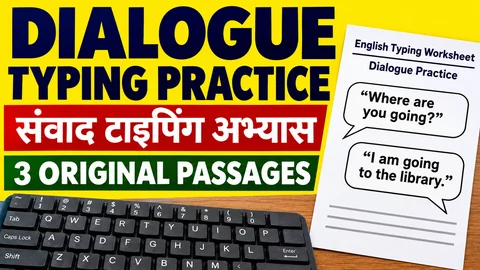
Dialogue changes the rhythm of a copying exercise. You move from a speaker's words to a reporting phrase, then back to another speaker. Quotation marks, commas and question marks appear close together. This worksheet gives you three original dialogue passages and a short method for checking those boundaries without rewriting the reference.
The scenes take place in a college library, a community centre and a training room. All people and events are fictional. These are learning exercises, not official exam passages or previous-year papers. You do not need to speak aloud, record your voice or send anything to another person.
Set up one passage
Open the English typing practice tool. Select your own paragraph, paste one passage into the setup box and apply it with Use this paragraph. Put only the passage into the reference, without the heading or checking notes. Type your answer in the separate test area, where pasting is blocked.
Each passage is presented as one paragraph because the custom-text tool normalises whitespace. It is suitable for copying words and punctuation, rather than testing whether you reproduce dialogue on separate lines. If you want a multiline writing exercise, use a plain document instead and keep that activity separate from the site's timed result.
The passages use straight double quotation marks and straight apostrophes. Copy the displayed characters. If a device or editor automatically changes them into curved marks, check the text before using it as a reference. A visually similar punctuation character is not necessarily the same character in an exact-copy task.
Passage 1: Finding a library book
"Where should I return this book?" Ananya asked. "Please place it on the desk beside the register," the librarian replied. "Do I need to write my name again?" "Not on this sheet. I'll check the record first." Ananya waited while the librarian opened the borrowing list. "The return is complete," he said. "You can choose another book now." "Thank you. I'm looking for a short collection of essays." The librarian pointed towards a shelf near the window. "Start with the lower shelf, and bring me any title you want to borrow."
Begin your review at the question Where should I return this book? The question mark comes before the closing quotation mark, and Ananya starts with a capital A. Later, in the sentence ending the librarian replied, the comma remains inside the quotation marks before the reporting phrase. Follow the reference rather than adjusting its style to match another book you have read.
The contractions I'll and I'm contain apostrophes. They are not opening or closing double quotation marks. If you are unsure which key produces the required character on your keyboard layout, try it in an untimed document before beginning another scored attempt.
Passage 2: Checking a community notice
"Is this the final notice?" Ravi asked. "It is the revised copy," Farah replied. "We've changed the meeting point, but the starting time is the same." Ravi compared the two sheets. "The old copy says the front gate." "That's right. The new one says the reception desk." "Should I remove the earlier notice?" "Yes, please. Keep it with the office papers so we can explain the change if anyone asks." Ravi pinned the revised sheet to the board. "I'll tell the volunteers which version to use," he said.
This passage contains two similar location phrases: the front gate and the reception desk. Read them separately even if the conversation makes the change easy to predict. A sensible substitution still changes the copied reference. Check We've, That's and I'll without expanding them into different words.
Find the full stop after front gate and the comma after use in the final sentence. Both appear before a closing quotation mark, but the punctuation differs. Do not turn every speech ending into the same mark just because several nearby sentences follow a similar pattern.
Passage 3: Preparing the next session
"Have you checked the spare keyboards?" Kavya asked. "Yes, they're in the cupboard," Nitin said. "One cable is labelled for replacement." "Please leave that keyboard on the side table. We don't want someone to pick it up by mistake." Nitin moved the keyboard and wrote a short note. "Should I test the projector too?" "Please do. The next group will arrive after lunch." "I'll check it before I leave," he replied. Kavya collected the worksheets. "Thanks. I'll put these near the entrance and update the handover sheet."
Use this passage after the earlier two because it combines question marks, commas, full stops and contractions in longer exchanges. Check they're and don't as complete words. The apostrophe belongs inside each contraction; adding a space on either side changes the reference.
At the end, make sure you copied the closing quotation mark after sheet. Reaching a familiar final word can make you stop looking before the last punctuation character. Compare the actual ending, not the ending you expect from memory.
A three-part checking routine
First, find each opening and closing pair of double quotation marks in a sentence. Read the words between them and check that neither mark is missing. Do this on the reference and the final copy separately; seeing a pair in the reference does not prove you typed both characters.
Second, compare the punctuation immediately before a closing quotation mark. Ask whether the reference contains a question mark, comma or full stop at that location. For example, "Should I test the projector too?" ends differently from "Yes, they're in the cupboard,". This is a comparison aid, not an instruction to change punctuation while copying.
Third, inspect contractions and the following spaces. In Passage 3, don't want contains no space inside don't and one space before want. If the copy says dont want, record a missing apostrophe. If it says do not want, record that you expanded the reference instead of copying it exactly.
Keep a useful review note
Write down the passage name, correction setting and one exact mismatch. An example note is: reference says I'll; final copy says Ill; apostrophe omitted. Another is: reference has a question mark before the closing quote; copy has a full stop. These are descriptions of differences, not official exam deductions.
The final submitted text does not provide a history of every mistake you corrected with Backspace. If you want to remember a correction made during the attempt, note it separately afterwards. For the site's scoring definitions, use the speed and accuracy explanation.
A short dialogue can finish when you reach the reference length, before the selected duration expires. Record that finish reason rather than calling every attempt a completed five-minute test. The passages are not calibrated to identical difficulty, so do not interpret a WPM difference between them as a precise measurement of progress.
Choose the next activity
If quotation boundaries caused most of your errors, copy one difficult sentence slowly before trying another passage. If you skipped small words while concentrating on punctuation, use the small-word typing worksheet. If you want a different complete-text format, try the original email copying exercises. Choose one next task from the error you actually observed, and return to unfamiliar text when a passage becomes easy mainly because you remember it.
Put it into practice →