TYPING GUIDE
Typing Practice Log: A Session Record and Comparison Worksheet
Keep a useful typing practice log with a printable session record, downloaded results and worked examples of comparisons that need different labels.
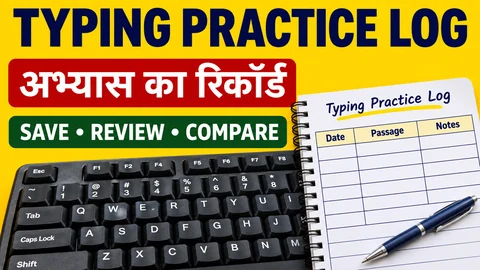
A saved WPM number is difficult to interpret if you cannot remember the passage or the settings. Keep a short practice log beside your result files. This worksheet helps you record what actually happened in a session and decide which two attempts are reasonable to compare. It is a personal record, not a certificate or an examination score sheet.
Keep a copy outside browser history
Complete a session in English typing practice. In the result controls, use the download option if you want a text copy. The downloaded report includes the practice label, language, passage title, gross and net speed, accuracy, character errors, elapsed duration, configured time and Backspace setting.
The tool also offers optional saving on the current device. This browser record is separate from a downloaded file. It is not an account-based backup that follows you to another computer. If you clear site storage or use a different browser, do not assume your earlier results will be there. Keep your own files when the record matters to you.
Copy this session record
Date and session label: ____________________
Device, keyboard and language input: ____________________
Practice mode and passage title: ____________________
Configured duration and actual elapsed time: ____________________
Finish reason observed on screen: ____________________
Backspace setting: ____________________
Net WPM, accuracy and character errors shown: ____________________
One exact copying difficulty: ____________________
Next exercise and reason for choosing it: ____________________
You can print this page or copy the fields into a notebook. For custom text, give your reference a private label such as Library paragraph A. Keep the original reference separately if you need to repeat it; a generic custom-paragraph title will not identify which text you used. Avoid storing real customer records or personal details as practice material.
Fill the fields immediately
Write the finish reason before starting a new attempt. A configured five-minute session may end earlier if you complete its reference. That shorter result should not silently join a list of full five-minute attempts. The downloaded text report lists elapsed and configured duration, but you should add your own note about the finish message you observed.
Use the difficulty field for an exact observation. Instead of writing bad accuracy, record that you omitted the final s in magazines or repeated the words on the table. This tells you which exercise to choose next. A number alone does not identify the reading or copying action that caused it.
Worked comparison: a familiar paragraph
Imagine two fictional log entries for the same reference. The first uses Backspace on; the second uses Backspace off. The second entry also says that the text was already familiar from the first attempt. You cannot attribute the difference in scores only to Backspace: familiarity and correction behaviour changed together.
Label this pair as an exploration of settings, not proof that one setting improved your typing. If you want to investigate corrections, use the two-round Backspace drill, and keep the same reference within the pair. Its purpose is to observe what you do after a slip.
Worked comparison: a different device
Suppose one entry says physical keyboard on the college computer, while the next says phone with predictive input. Keep both if they are useful, but place them in different comparison groups. Their input conditions differ. Neither entry by itself establishes readiness for a physical-keyboard assessment.
The same caution applies to different languages, unfamiliar passages and game points. Do not convert a Word Sprint score into passage WPM or combine the two in one ranking. For definitions of the passage results, read how speed and accuracy are calculated.
Review one small pattern
After a few entries, look for a repeated, specific difficulty under similar conditions. If several notes mention skipped short words, choose the small-word copying worksheet. If each note concerns a different issue, select one to practise rather than assuming you need a complete change of routine.
Keep the log short enough that you will maintain it. One useful note, the settings and a result file are more informative than a long diary that omits the reference. Record a next action you can actually carry out in the following session, then check whether that particular error appears again.
Put it into practice →